WallMRRDataFa.st
Put your DataFa.st metrics on a TV.
WallMRR reads the live visitors and 28-day analytics overview DataFa.st computes for your website and shows them on a wall-mounted screen, updated every sync.
Free for one project, forever. No credit card.
What the wall shows from DataFa.st.
Each number carries its definition, its currency and its age. Nothing on the screen needs a mouse.
Attributed revenue, last 28 days
attributed_revenue
Live visitors
live_visitors
Visitors, last 28 days
visitors
Pageviews, last 28 days
pageviews
Sessions, last 28 days
sessions
Bounce rate
bounce_rate
Conversion rate
conversion_rate
Attributed revenue is the 28-day revenue DataFa.st attributes to your traffic, normalized into your display currency. It is the same money your billing provider reports, so it is shown on its own and never added to your revenue or MRR — those come from Stripe, Polar or RevenueCat, trials excluded. Live visitors and 28-day traffic stats are read directly from DataFa.st. The definition is printed under the number on the TV.
- Numbers update by sync — every five minutes on Free, faster on Pro — not by DataFa.st webhooks yet.
- Sale celebrations arrive through the WallMRR webhook URL; direct goal tracking and breakdown charts are next.
- One connection per provider — a second account of the same provider is refused. Free walls take one data source; Pro and Studio connect them all, and revenue from two billing providers is added together on the wall.
A key, a code, a glance.
Setup happens on the web. The TV never sees a key, a provider, or a line of math. It receives finished numbers and draws them.
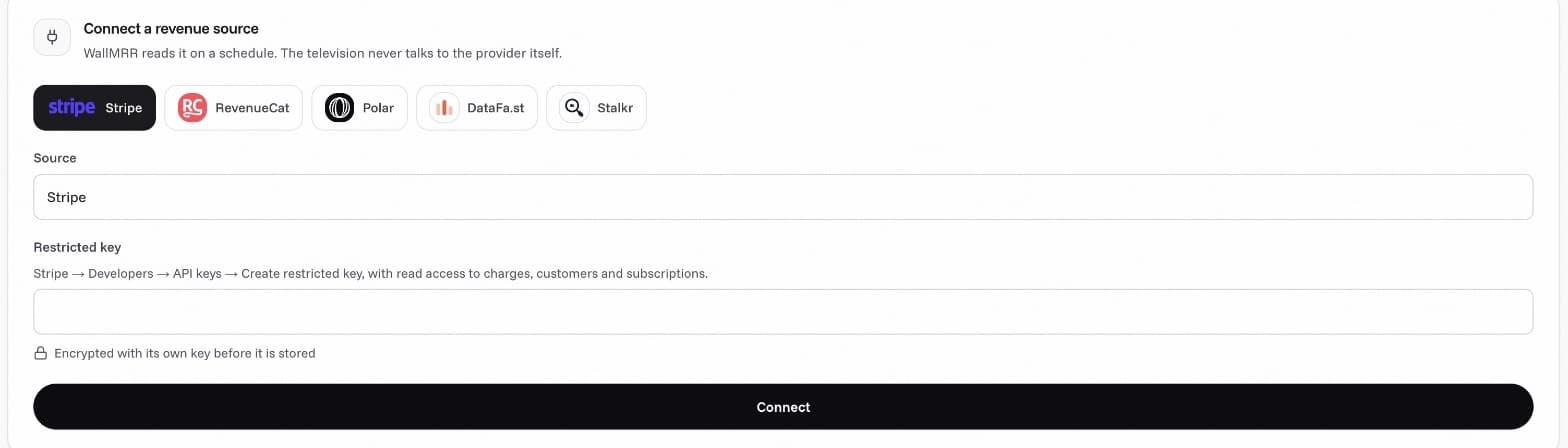
1. Paste a key
Paste a RevenueCat, Stripe, Polar, DataFa.st or Stalkr.ai key. It is encrypted at rest with a key of its own and never leaves the server.
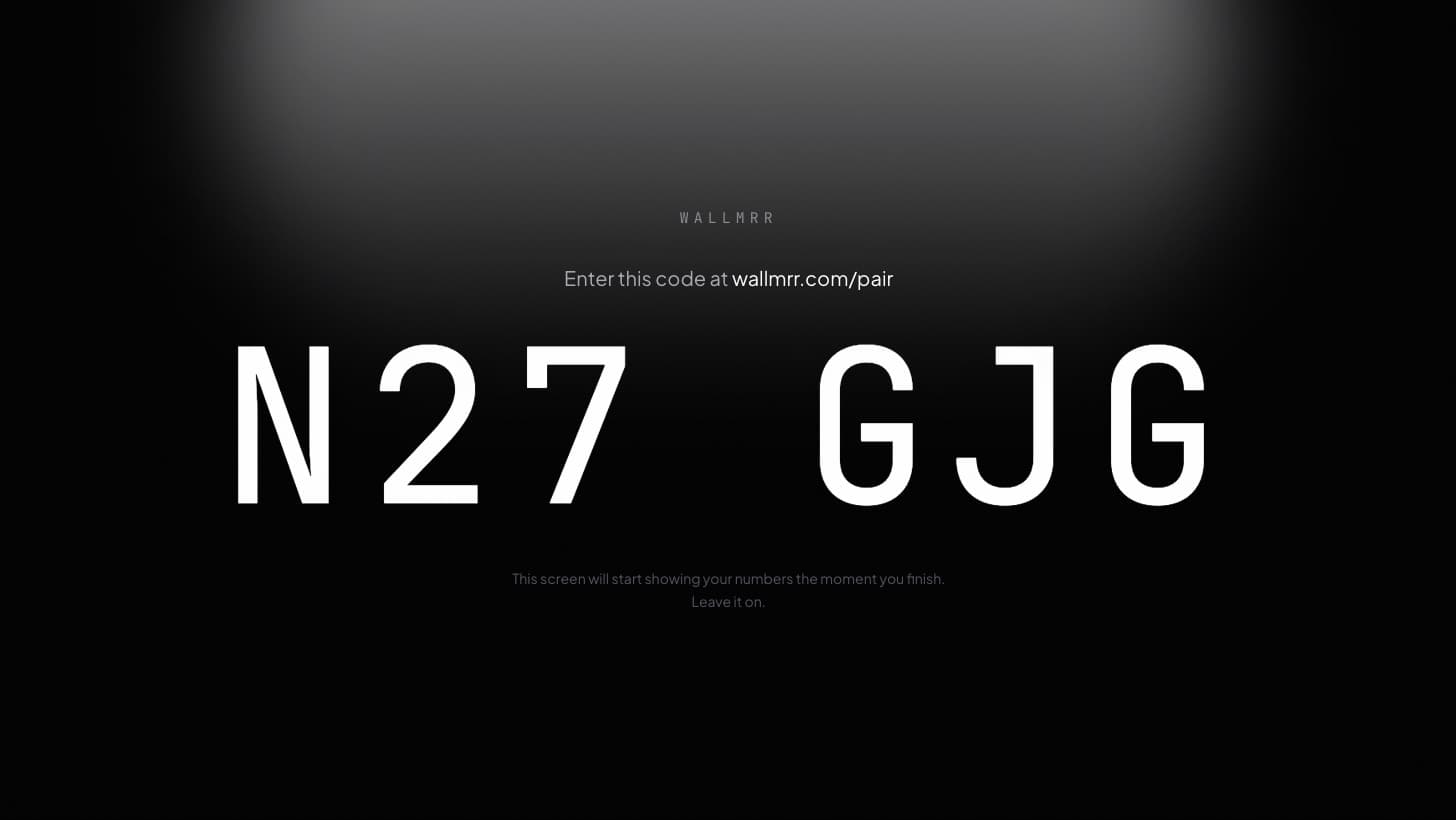
2. Pair the screen
Open wallmrr.com/tv in the television's browser — no app to install — and type the six-character code it shows into wallmrr.com/pair.
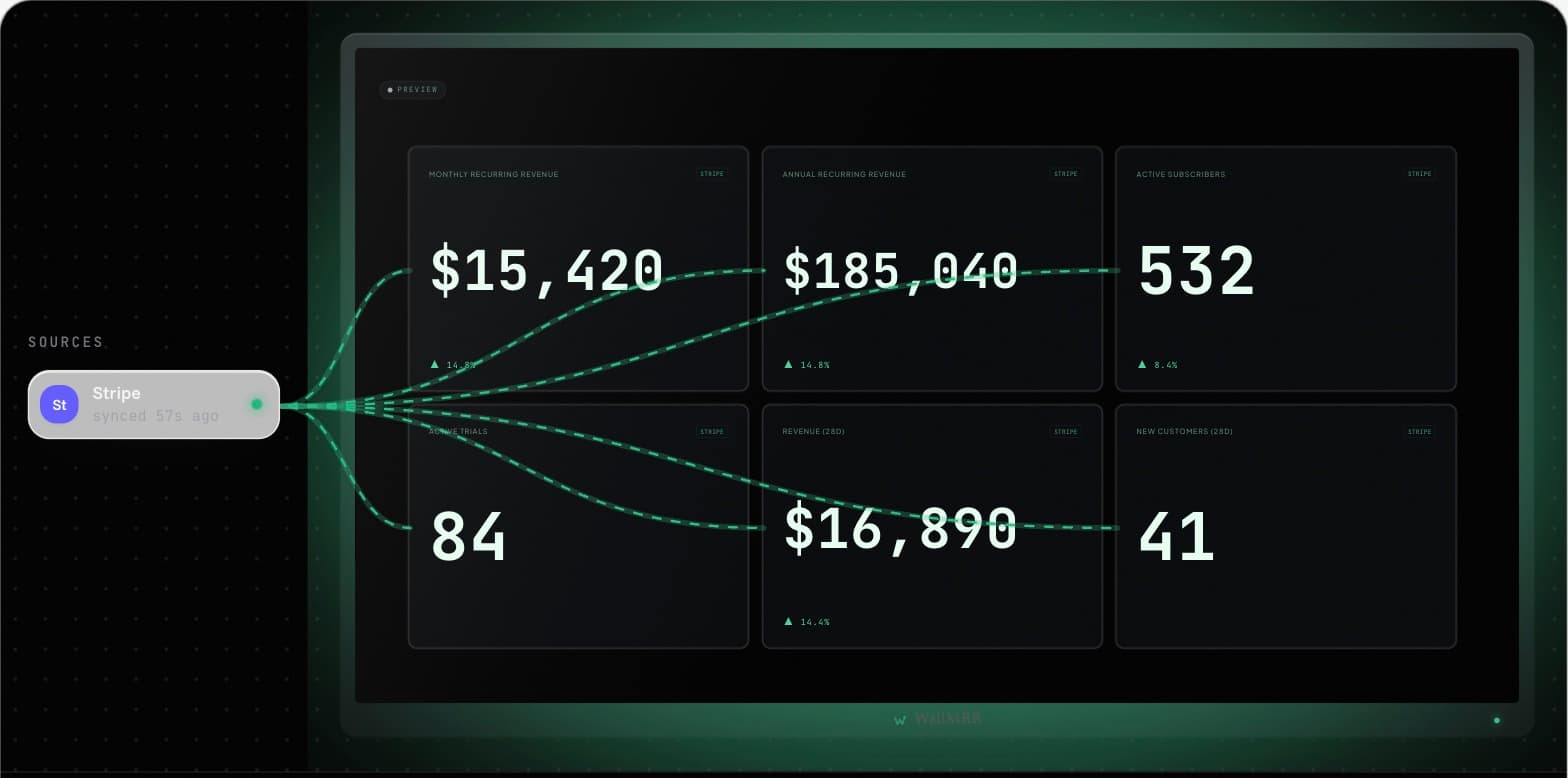
3. Leave it on
The wall updates itself and marks anything stale. You look up when the number moves.
Open wallmrr.com/tv in your TV's browser and pair with your six-character code. Native tvOS and Android TV apps are in development.
DataFa.st questions.
Paste a DataFa.st website API key (df_...) or account token (dft_...). WallMRR reads your analytics overview; it never writes to DataFa.st.
Which DataFa.st metrics show on the wall?
Live visitors, 28-day attributed revenue, total visitors, pageviews, sessions, bounce rate, and conversion rate — the real-time and overview metrics DataFa.st computes.
Why is DataFa.st revenue not added to my MRR?
Because it is the same money. DataFa.st attributes sales your billing provider already reports; adding the two would count every sale twice. Connect Stripe, Polar or RevenueCat for MRR, and DataFa.st shows which traffic produced it.
Which DataFa.st key do I need?
A website API key (df_...) from your website settings, or an account token (dft_...) with the website ID specified. The key is encrypted at rest with a key of its own and never reaches the TV.
Does WallMRR need write access to DataFa.st?
No. The API key only needs read access to your website analytics. WallMRR never modifies your DataFa.st data.
Mount it tonight.
Free for one project. Claim your wall address, connect a source, and the number is on the wall.